Configuring Outline
Outline draws lines around visible object edges.
Color chooses the line. Thickness controls width. Depth and normal sensitivity choose edges. Threshold filters weak edges.
Steps
- Select the POST PROCESSING object in the Objects panel.
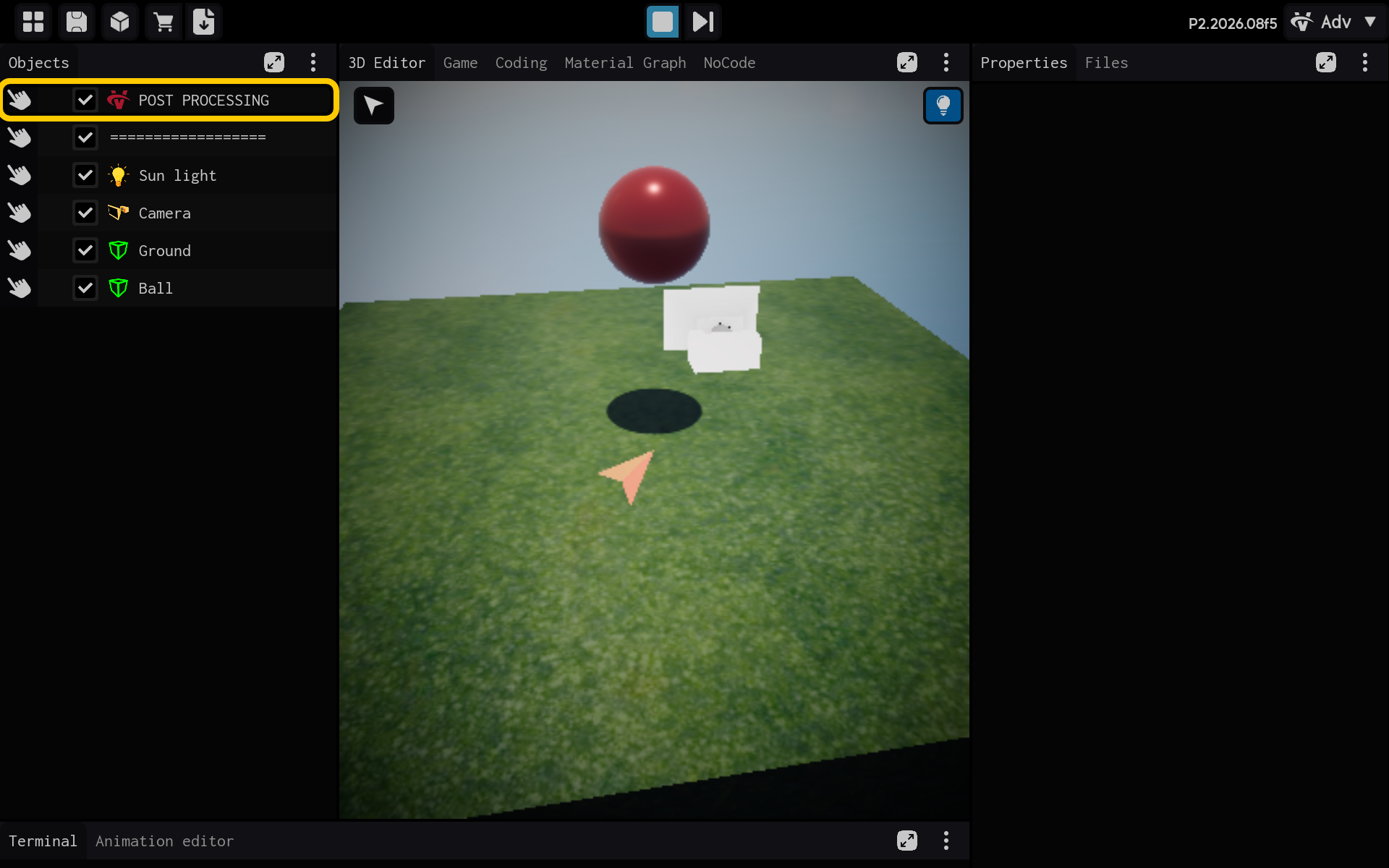
Optional: Add the Outline component
Use this section only if the Outline component is not already listed in the Properties panel. If it is already present, skip the actions in this section and continue with the main tutorial below.
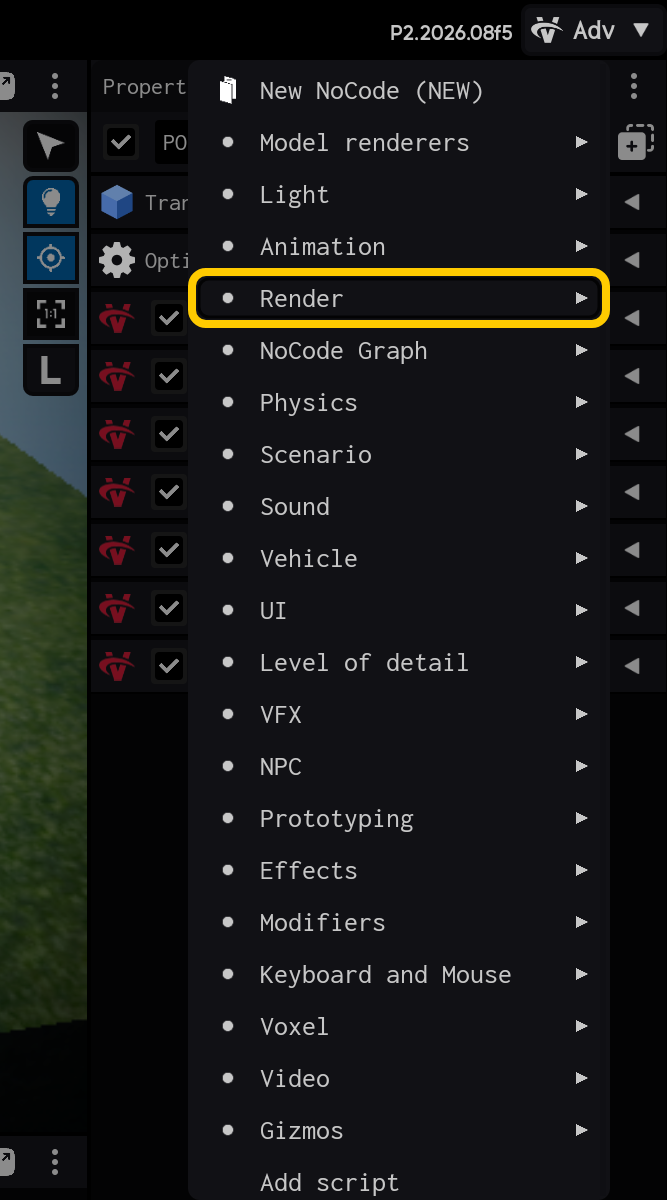
2.1. Tap Add Component to add Outline.

2.2. Open the Render category.
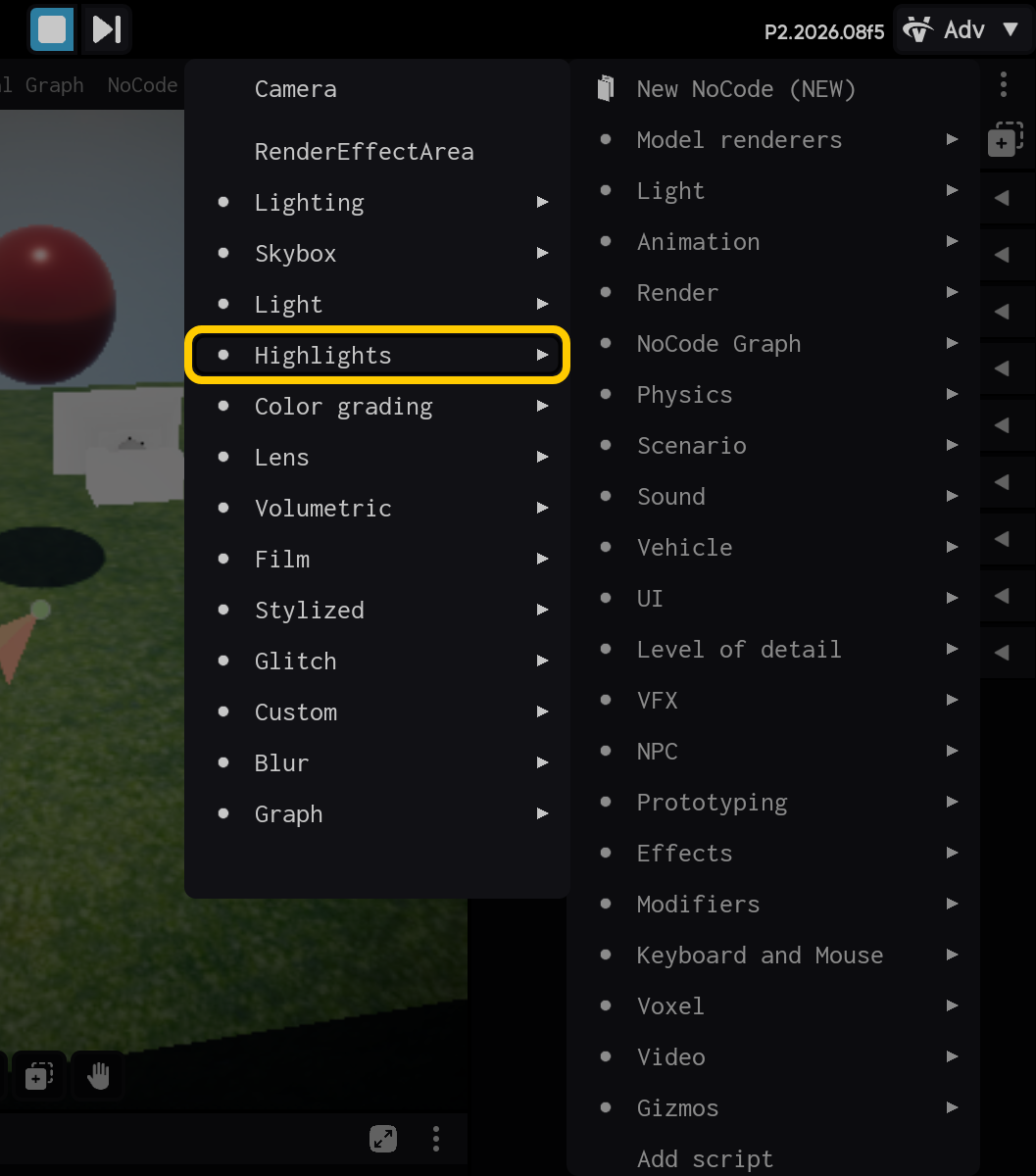
2.3. Open the Highlights category.
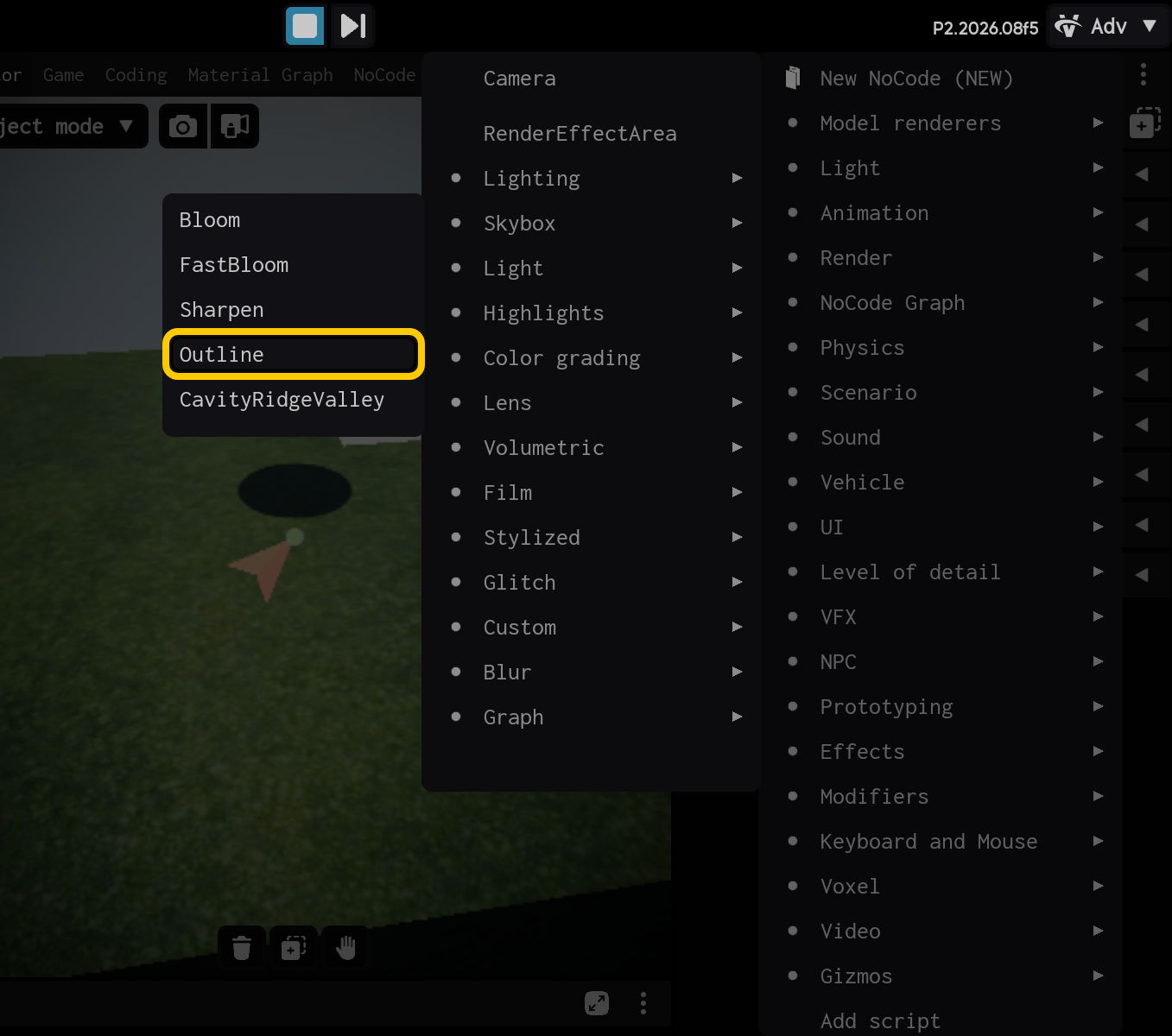
2.4. Select the Outline component.
End of optional section. Continue with the main tutorial below.
- Select the Outline component to view its settings.
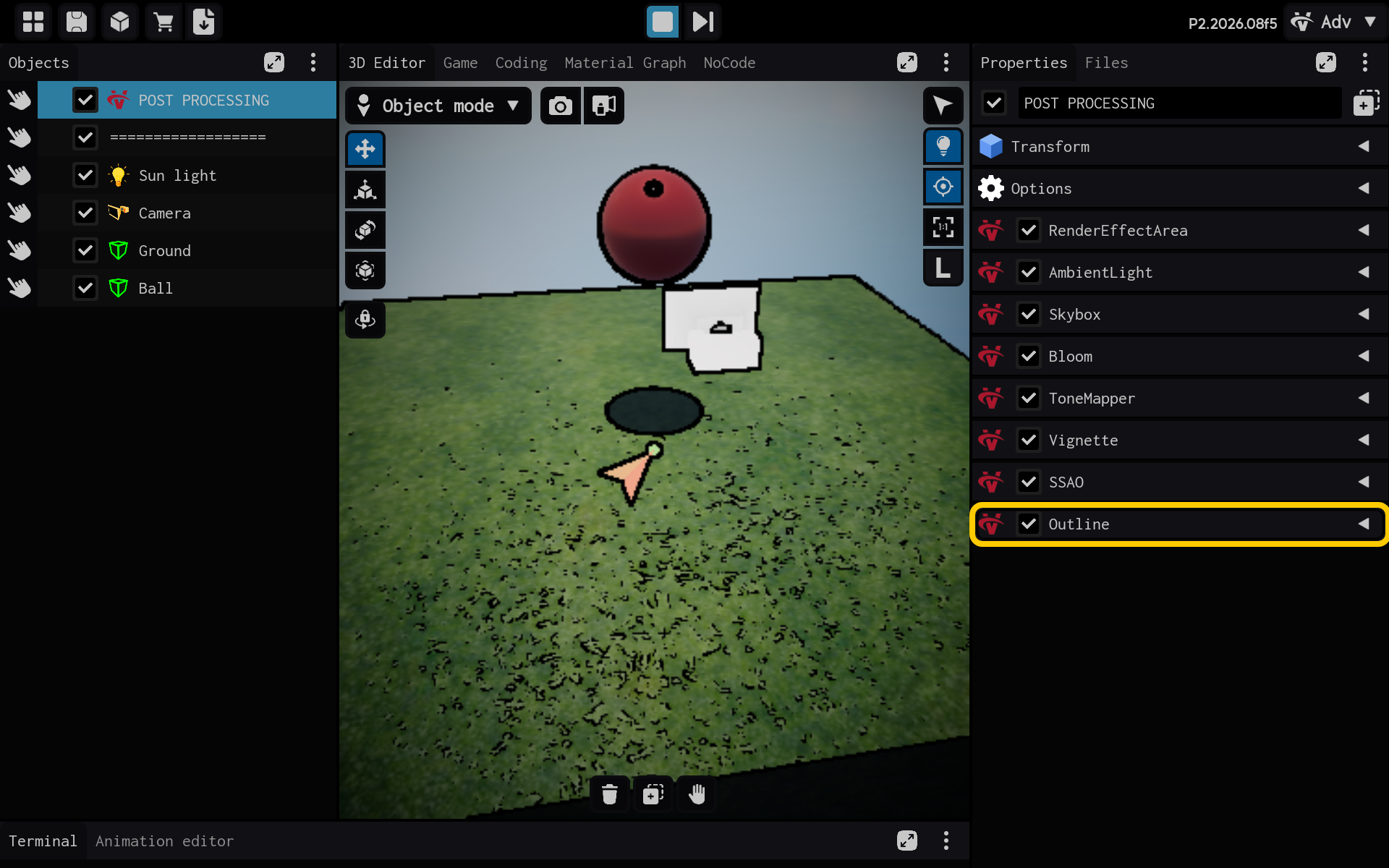
Outline draws lines around object edges.
- Color: Line color.
- Thickness: Line width.
- Depth and normal sensitivity: Which edges qualify.
- Threshold: Filters weak edges.
- Outline settings are visible in Properties.
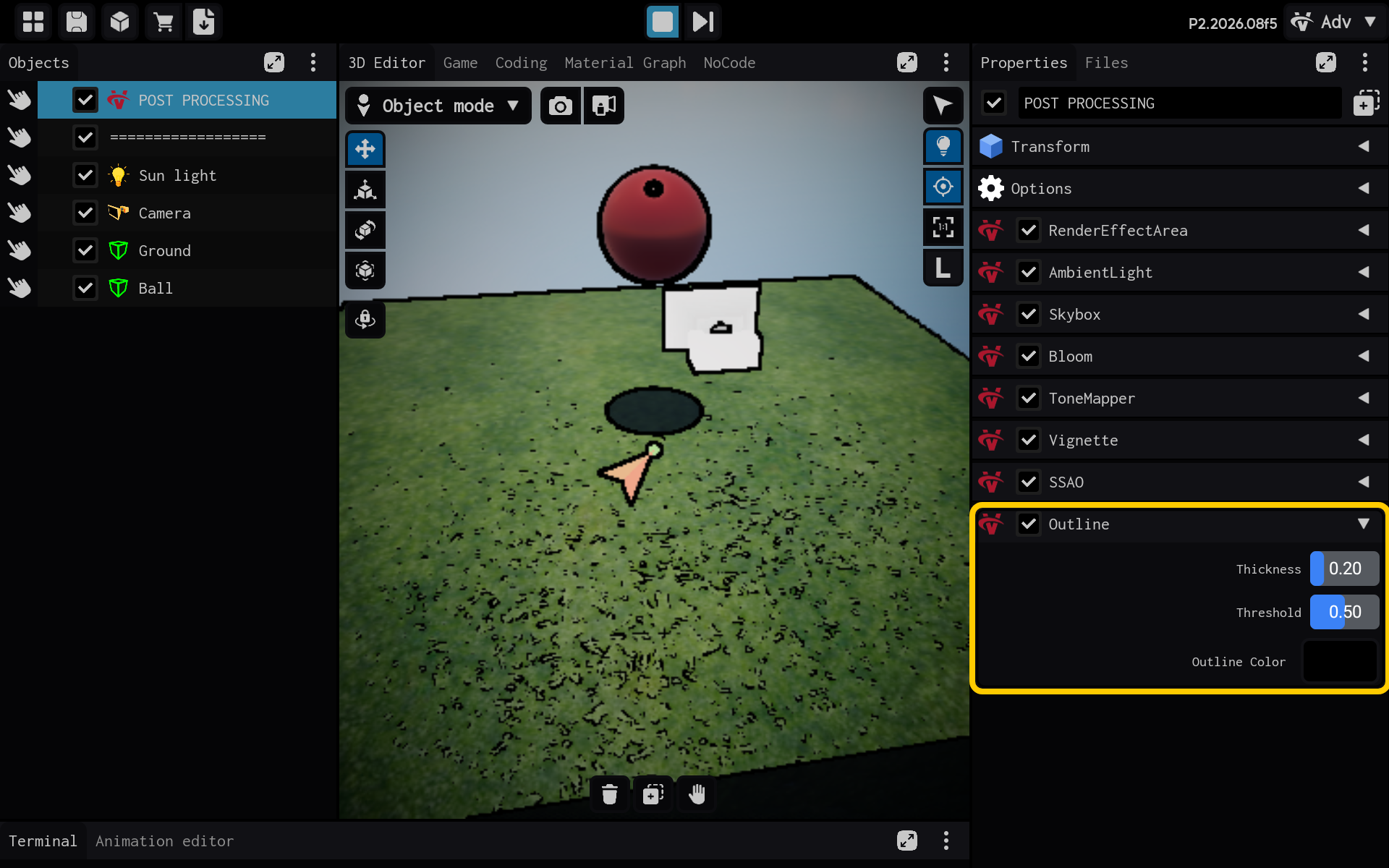
Result
The Outline component is now configured and its settings are visible in the Properties panel. You can adjust its values and preview the result in your scene.